
How to Design Quilt Patterns Faster: A Step-by-Step Guide for Modern Quilters
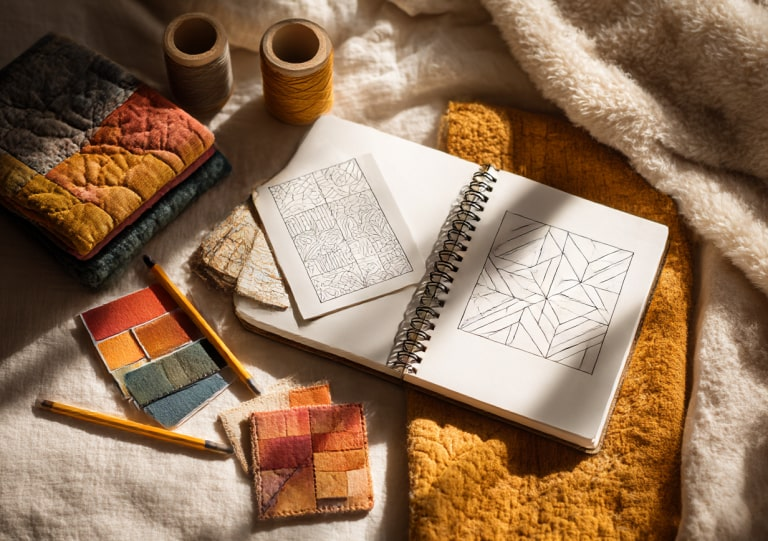
Designing your own quilt pattern can be one of the most satisfying parts of quilting — but it’s also where many makers get stuck. You’ve got stacks of gorgeous fabric, color ideas swirling in your head, and sketches that never seem to line up just right.
Sound familiar? You’re not alone. Creating patterns that look balanced, repeat cleanly, and actually work once you start cutting fabric can feel like a puzzle with too many moving pieces.
That’s where a little structure (and a touch of AI magic) can help.
1. Start with Inspiration — Then Simplify
Every quilt begins with an idea — maybe a vintage block you saw online, a color combo from a sunset, or even the tile floor at your favorite café. But when you try to turn inspiration into a pattern, it’s easy to overcomplicate things.
Before diving into measurements or software, break your idea into three shapes:
-
Squares and rectangles for structure
-
Triangles for movement
-
Strips for flow
Once you’ve sketched those, you’re halfway to a repeatable pattern.
2. Think in Blocks, Not Pieces
A common mistake new designers make is planning one huge design instead of modular blocks.
If you create patterns in 12″ or 10″ blocks, you can test one before committing to the whole quilt — and you’ll discover layout variations you didn’t expect.
Try rotating or mirroring your blocks digitally to explore secondary patterns (like stars or diamonds). This is where creativity meets problem-solving — and it’s a lot faster to experiment on screen than with a rotary cutter.
3. Balance Color and Negative Space
Professional-looking quilts often use space as intentionally as fabric. Don’t fill every inch with prints!
A strong design usually includes:
-
60% feature fabrics (the main color story)
-
30% supporting tones (low-volume or accent fabrics)
-
10% negative space (solid, calm areas that let your design breathe)
This balance helps your eye rest — and your pattern feel cohesive rather than chaotic.
4. Use Technology to Test Layouts Instantly
Here’s where the Quilt Pattern Generator truly shines. Instead of redrawing your design over and over, you can:
-
Upload your idea or describe your concept
-
Instantly preview multiple block variations
-
Adjust symmetry, color palette, or fabric type
-
Download or print your chosen pattern layout
It’s like having a virtual design wall that never runs out of space.
No math, no guesswork — just more time for the fun part: stitching.
5. From Digital to Fabric — Test Small, Then Scale Up
Even the best designs change once they’re in real fabric.
Make a test block first. Check seam allowance, contrast, and whether your focal points pop.
If the layout still feels right in person, go ahead and plan your full quilt. You can even save multiple pattern versions in the generator to revisit later — perfect for holiday themes, color swaps, or fabric refreshes.
6. Keep a Pattern Journal
Whether digital or on paper, record your:
-
Color palette
-
Fabric sources
-
Finished block measurements
-
Adjustments you made after testing
This becomes your personal pattern library — a creative resource for future projects or tutorials you’ll share later.
7. Ready to Try It Yourself?
Don’t let blank-page anxiety slow down your next idea. The Quilt Pattern Generator was built to make the design part as inspiring and stress-free as the sewing itself.